Workflow Automation
Overview
Turn manual processes into connected, automated workflows.
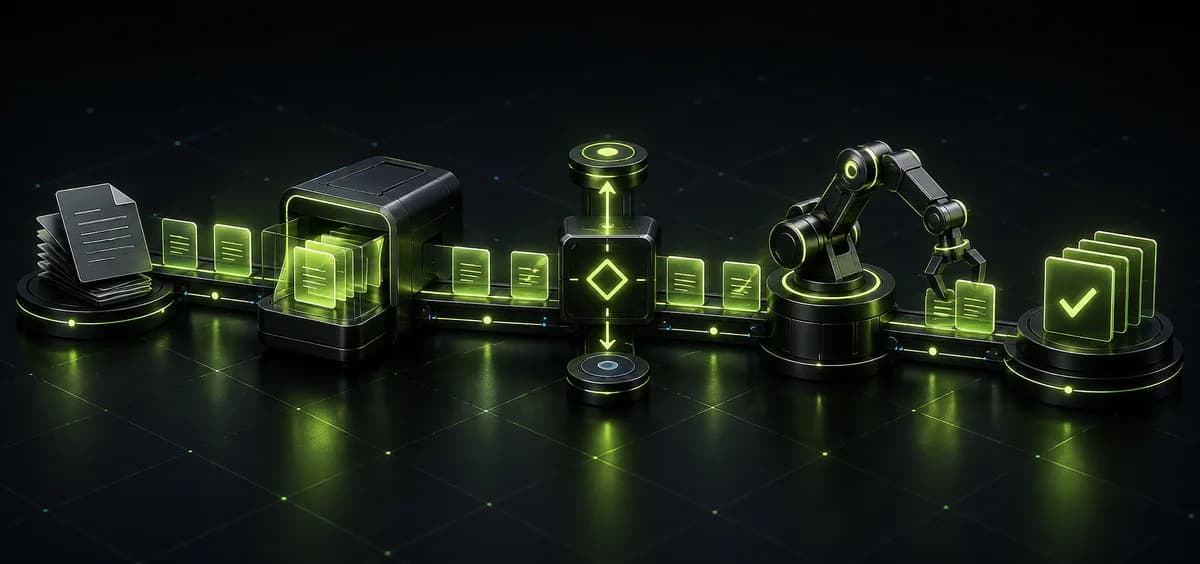
Workflow automation is not simply about completing tasks faster. It is about creating a more structured way for work to move across people, departments, systems, and data.
Virtual Data IT helps organizations across the GCC identify repetitive and inefficient processes, redesign how they should work, and automate the actions, approvals, notifications, assignments, and system updates behind them.
From a single approval process to complex cross departmental operations, we build workflows that reduce manual effort, improve visibility, strengthen accountability, and help teams operate more efficiently as the organization grows.
Virtual Data IT supports workflow automation requirements for organizations across:
- •
Saudi Arabia
- •
United Arab Emirates
- •
Qatar
- •
Kuwait
- •
Bahrain
- •
Oman
As organizations across the GCC digitize services and expand operations, manual workflows can become a hidden constraint on growth. More employees, customers, transactions, locations, and systems create more handoffs, approvals, requests, and information to manage.
We automate processes around your existing operating environment and technology requirements. The goal is not automation for its own sake. It is to build faster, more visible, accountable, and scalable operations.
What We Automate
Automation built around real business processes. With our Workflow Automation service, we automate:
- •
Approvals & Requests: Automate approval chains for purchasing, finance, HR, administration, access requests, expenses, documents, and other internal processes.
- •
Tasks & Assignments: Automatically create, assign, route, prioritize, and escalate tasks based on predefined events, responsibilities, deadlines, or business rules.
- •
Notifications & Escalations: Trigger alerts, reminders, updates, and escalations when actions are required, deadlines approach, or specific conditions are met.
- •
Document Workflows: Digitize how documents are submitted, reviewed, approved, routed, stored, and tracked across departments.
- •
Cross Department Handoffs: Connect processes that move between teams so ownership is clear and fewer requests disappear between departments.
- •
System & Data Workflows: Connect applications, databases, APIs, and business systems so information can move between them without unnecessary manual re-entry.
- •
Customer & Service Workflows: Automate onboarding, service requests, case routing, follow ups, status updates, support processes, and other recurring customer interactions.
- •
Operational Reporting: Capture workflow activity automatically and create better visibility into status, completion times, bottlenecks, ownership, and process performance.
Our Process
From manual process to controlled automation.
- 1.
Discover: Map the current process, people involved, systems used, decision points, delays, exceptions, and repetitive activities.
- 2.
Prioritize: Identify which workflows offer the strongest opportunity to reduce manual effort, delays, errors, or operational risk.
- 3.
Design: Define triggers, rules, approvals, responsibilities, integrations, notifications, exceptions, and expected outcomes.
- 4.
Automate: Build and connect the workflow across the required users, systems, data, and business rules.
- 5.
Test & Launch: Validate different scenarios, permissions, exceptions, integrations, and handoffs before introducing the workflow into daily operations.
- 6.
Measure & Optimize: Monitor how the workflow performs and improve rules, steps, integrations, or capacity as requirements evolve.
What Can Workflow Automation Connect?
Connect actions across the organization
Workflow automation can operate across multiple functions rather than remaining inside one department.
Finance
Purchase requests, expense approvals, invoice processes, payment workflows, and financial documentation.
Human Resources
Employee onboarding, leave requests, internal approvals, document collection, and employee processes.
Operations
Service requests, task routing, operational approvals, escalations, and recurring procedures.
Sales & Customer Service
Lead routing, customer onboarding, follow ups, support requests, case management, and service updates.
Procurement
Purchase requests, vendor approvals, documentation, review processes, and internal authorization.
IT & Administration
Access requests, technical support, equipment requests, incidents, internal services, and administrative processes.
Where Automation Creates Value
Look for the work your teams repeat every day
Approvals take too long.
Requests sit in inboxes waiting for the right person to review, approve, reject, or forward them.
Teams enter the same data more than once.
Information is manually copied between spreadsheets, emails, forms, and business systems.
Ownership is unclear.
Employees do not always know who owns the next action, causing delays and repeated follow ups.
Processes depend on individuals.
Critical workflows rely on employees remembering what needs to happen next rather than the process itself controlling the next action.
Systems don't communicate.
Teams manually move information between applications because systems and workflows are disconnected.
Management has limited visibility.
Leaders struggle to see where requests are stuck, how long processes take, or which stages repeatedly create bottlenecks.
Automation Across Your Existing Systems
Your workflow should connect the tools you already use
Automation should not automatically mean replacing your existing technology. Virtual Data IT can design workflows around existing applications, databases, APIs, forms, portals, business systems, and cloud environments, helping information move between systems while reducing unnecessary manual intervention. The objective is to create a connected process where the right action happens when the right condition is met.
A request is submitted.
The workflow starts from a form, portal, or system event rather than an informal message no one can track.
The right person is notified.
Routing rules decide who needs to act, so nothing waits in the wrong inbox.
An approval is triggered.
The approval chain runs against defined rules, thresholds, and responsibilities.
The responsible team receives the task.
Work is assigned automatically with its context, deadline, and ownership attached.
The relevant system is updated.
Connected applications, databases, and records reflect the action without manual re-entry.
Management can see what happened.
Status, timing, and ownership are captured while the workflow runs, not reconstructed afterwards.
Less Manual Work
More Operational Control
Automation should improve the process, not just make a bad process faster. Before automating, we understand how the process works and where the real friction exists. Then we determine what should be removed, simplified, automated, integrated, monitored, or kept under human control. The result should be visible in daily operations:
Fewer Repetitive Tasks
Routine steps run on their own instead of consuming team time every day.
Faster Approvals
Requests reach the right approver immediately rather than waiting in an inbox.
Clearer Ownership
Every stage has a defined owner, so the next action is never in question.
Fewer Manual Handoffs
Work moves between people, departments, and systems without someone pushing it forward.
Better Process Visibility
Status, timing, and bottlenecks are visible while the process is still running.
More Consistent Execution
The process controls the sequence, so outcomes don't depend on who handles the request.
Operations Easier To Scale
More users, requests, and transactions can be absorbed without adding manual effort.
Turn repetitive work into a workflow that moves itself
Tell us which approvals, requests, handoffs, or manual processes consume your team's time. We'll help you identify what should be automated, what needs to connect, and where automation can create the greatest operational impact.
Discuss Your WorkflowFAQ